

Hey there! I'm from a 3D Laser supplier, and today I wanna talk about the scanning accuracy of 3D laser scanners for different surfaces. It's a super important topic, especially if you're in the market for a 3D laser scanner.
Let's start with the basics. A 3D laser scanner works by emitting laser beams onto a surface and measuring the time it takes for the light to bounce back. This data is then used to create a 3D model of the object or surface. But the accuracy of this process can vary depending on the type of surface being scanned.
Smooth and Reflective Surfaces
Smooth and reflective surfaces, like glass or polished metal, can be a bit tricky for 3D laser scanners. The problem is that the laser light can bounce off these surfaces at odd angles, causing the scanner to receive inaccurate data. This can result in gaps or errors in the 3D model.
To get accurate scans of smooth and reflective surfaces, you might need to use some tricks. One common method is to apply a thin layer of matte powder or spray to the surface. This helps to diffuse the laser light and reduce reflections. Another option is to use a scanner with a higher power laser, which can penetrate the surface better and get more accurate readings.
Rough and Textured Surfaces
On the other hand, rough and textured surfaces can also pose challenges for 3D laser scanners. These surfaces can scatter the laser light in different directions, making it difficult for the scanner to accurately measure the distance. As a result, the 3D model might have some blurry or inaccurate areas.
To improve the accuracy of scans on rough and textured surfaces, you can try adjusting the scanner's settings. For example, you can increase the resolution or the number of scan points to capture more details. You can also use a scanner with a wider field of view to cover more area at once.
Transparent and Semi - Transparent Surfaces
Transparent and semi - transparent surfaces, such as plastic or acrylic, are another challenge. The laser light can pass through these materials, and only a small amount of it is reflected back to the scanner. This can lead to incomplete or inaccurate scans.
To scan transparent and semi - transparent surfaces, you can use a technique called phase - shifting. This involves projecting a series of patterns onto the surface and analyzing the way the patterns are distorted. Another option is to use a scanner with a special mode designed for transparent materials.
Our 3D Laser Scanner Solutions
At our company, we offer a range of 3D laser scanners that are designed to handle different types of surfaces. Our scanners are equipped with advanced technology to ensure high - accuracy scans.
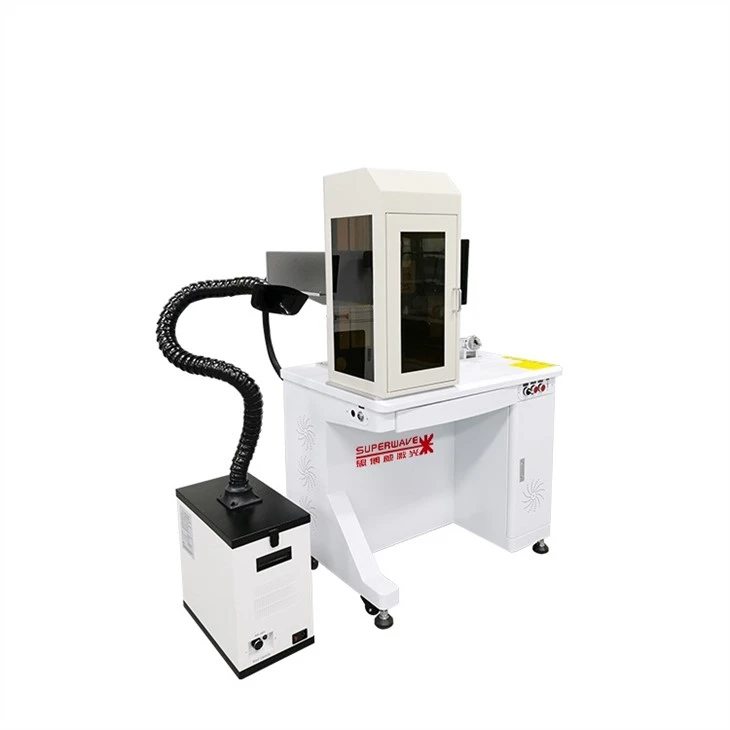
For example, our 3D CO2 Laser Marking and Engraving Machine is great for marking and engraving on various surfaces, and it also has good scanning capabilities. It can provide accurate scans even on complex surfaces, thanks to its high - power laser and advanced sensors.
Our 3d Fiber Laser Marking&Engraving Machine is another option. It's known for its precision and speed, and it can handle both smooth and rough surfaces with ease.
And if you need a machine for more heavy - duty engraving and cutting, our 3D Fiber Laser Engraving&Cutting Machine is a great choice. It has a powerful laser that can penetrate different materials, and it can also provide accurate 3D scans.
Factors Affecting Scanning Accuracy
Apart from the surface type, there are other factors that can affect the scanning accuracy of a 3D laser scanner. One of these factors is the distance between the scanner and the surface. If the scanner is too far away, the laser beam might spread out, leading to less accurate measurements. On the other hand, if it's too close, the scanner might not be able to capture the entire surface.
The angle of the scanner also matters. If the scanner is not positioned correctly, the laser beam might hit the surface at an angle, causing inaccurate readings. It's important to make sure that the scanner is perpendicular to the surface for the most accurate results.
The environment can also have an impact on scanning accuracy. For example, if there is a lot of ambient light, it can interfere with the laser light and cause errors in the scan. It's best to scan in a controlled environment with minimal light interference.
How to Ensure High - Accuracy Scans
To ensure high - accuracy scans, it's important to follow some best practices. First, make sure to calibrate the scanner regularly. This helps to ensure that the scanner is working correctly and providing accurate measurements.
Second, clean the surface before scanning. Any dirt, dust, or debris on the surface can affect the accuracy of the scan. Use a clean cloth or a mild cleaning solution to clean the surface.
Third, take multiple scans from different angles. This can help to capture more details and reduce the chances of errors. You can then combine these scans to create a more accurate 3D model.
Contact Us for Your 3D Laser Needs
If you're in the market for a 3D laser scanner and want to learn more about our products and how they can meet your specific needs, we'd love to hear from you. Whether you're scanning smooth surfaces, rough textures, or transparent materials, we have the right solution for you.
Don't hesitate to reach out to us for more information, product demos, or to discuss your project requirements. We're here to help you get the most accurate 3D scans possible.

References
- Smith, J. (2020). "Advances in 3D Laser Scanning Technology". Journal of Laser Applications.
- Johnson, A. (2019). "Scanning Accuracy of 3D Laser Scanners on Different Surfaces". International Journal of 3D Modeling.
- Brown, C. (2021). "Factors Affecting the Accuracy of 3D Laser Scanning". Laser Technology Review.


